All people, companies and projects shown are synthetic Rillsoft sample data – from the shipped industry packages or, where stated, from a test project.
The question
What has changed since the baseline in dates, effort and cost – and which phase carries the largest variance?
The data
Industry package IT services (04_it_dienstleister): 30 people in five teams, eight skills. Lead project ERP module accounting with seven phases from kick-off through functional concept, implementation, data migration, test and acceptance, go-live with cutover and hypercare, to closure; 55 elements, 26 tasks, seven milestones. The package’s bottleneck lies in backend development in January. All data is synthetic; the IT services package ships with Rillsoft Project.The steps
- Open the project and save a baseline
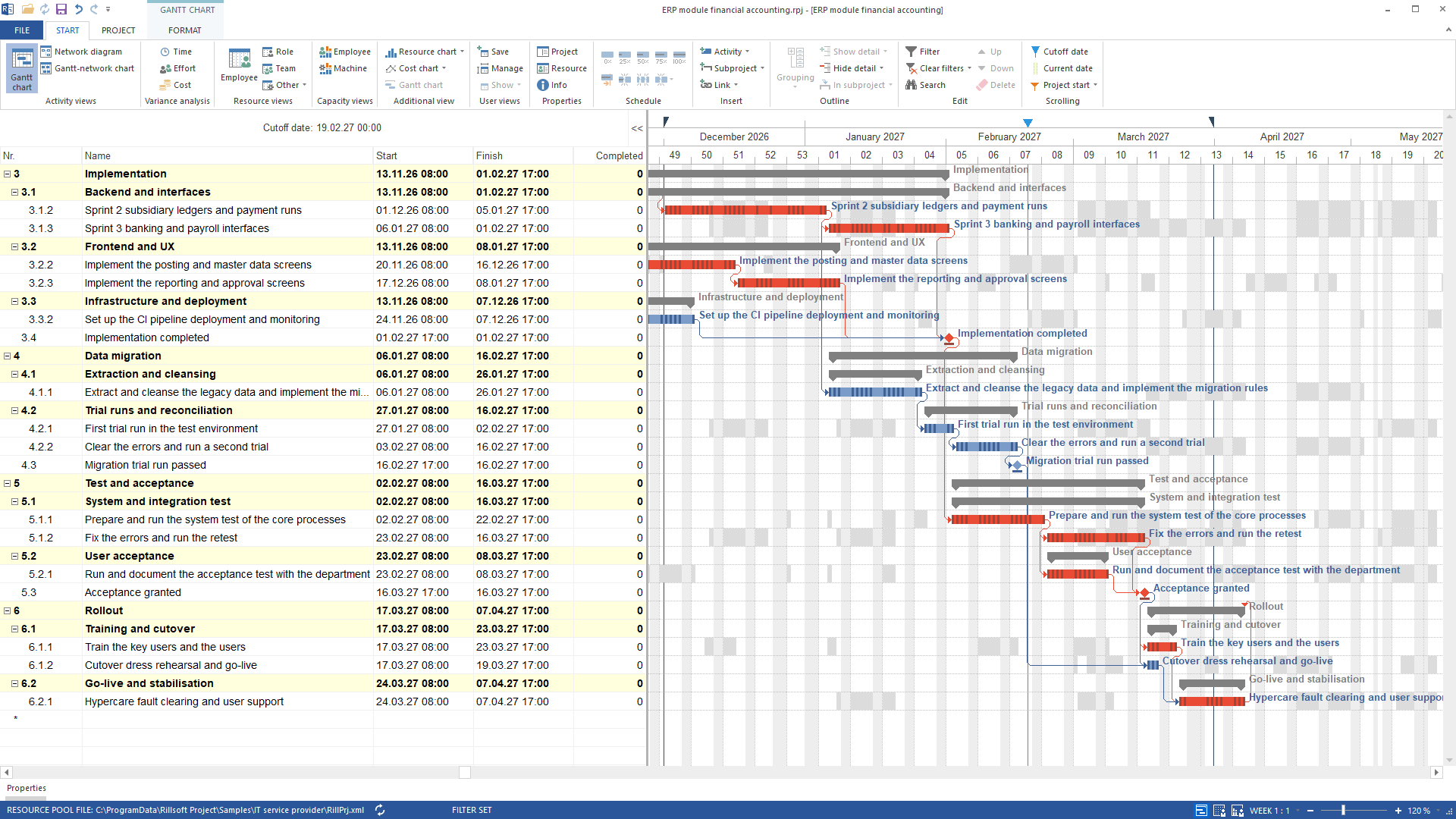
The AI opens the lead project and creates the baseline “Plan V1”; it is selected as the comparison plan at the same time.
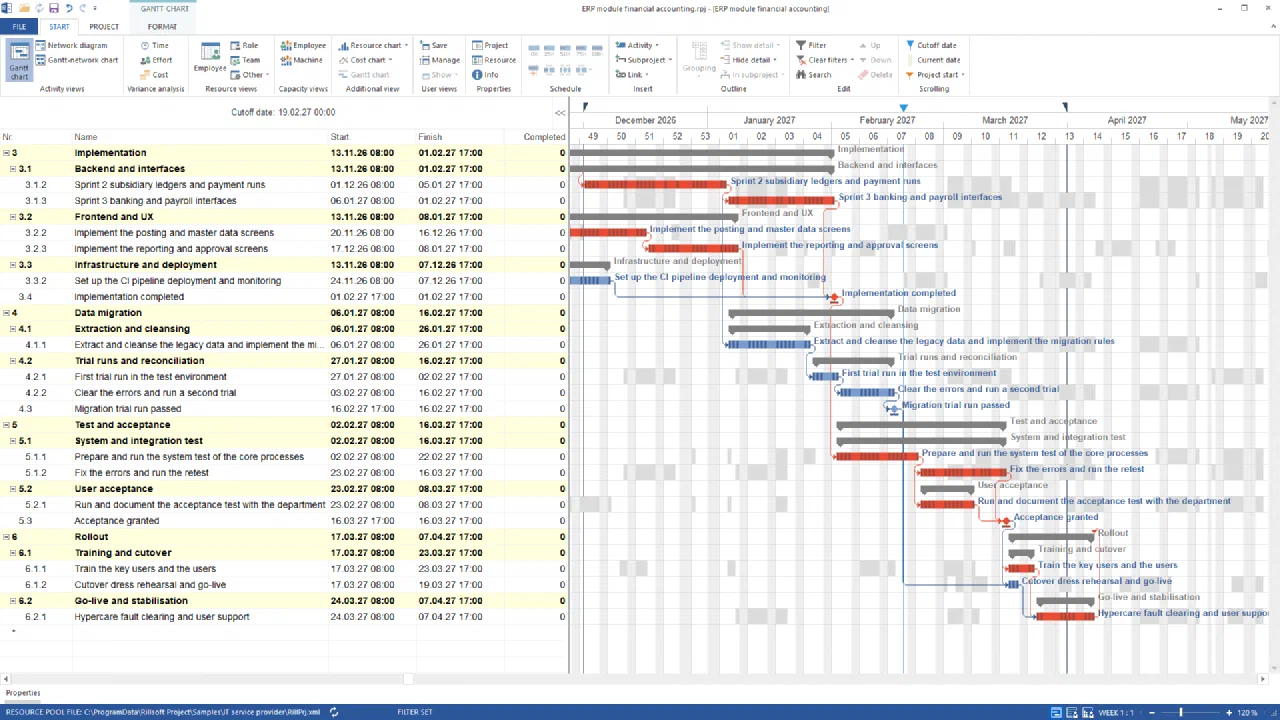
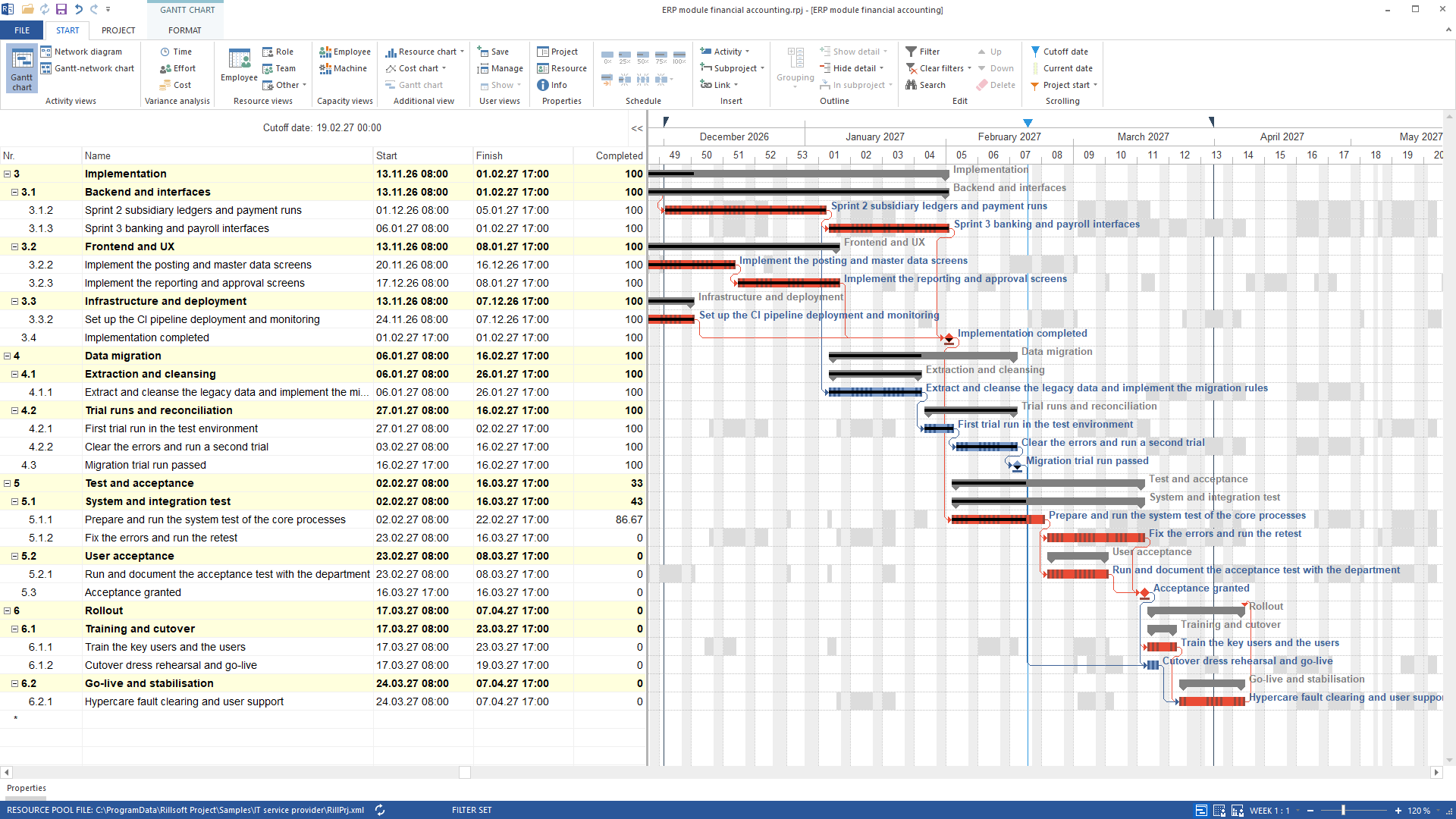
Lead project ERP module financial accounting with cutoff date 19 February 2027 and no progress – this state is saved as baseline “Plan V1”German UI - Set actual data
The AI sets the status date to 19 February 2027, derives progress from it and records that the running system test is only half done. The status date computation moves the rest behind the status date. In the delivered package that works only after the three fixed milestones Acceptance granted, Go-live completed and Project closed are released. Otherwise Rillsoft Project refuses the computation, because it would have to move fixed dates.
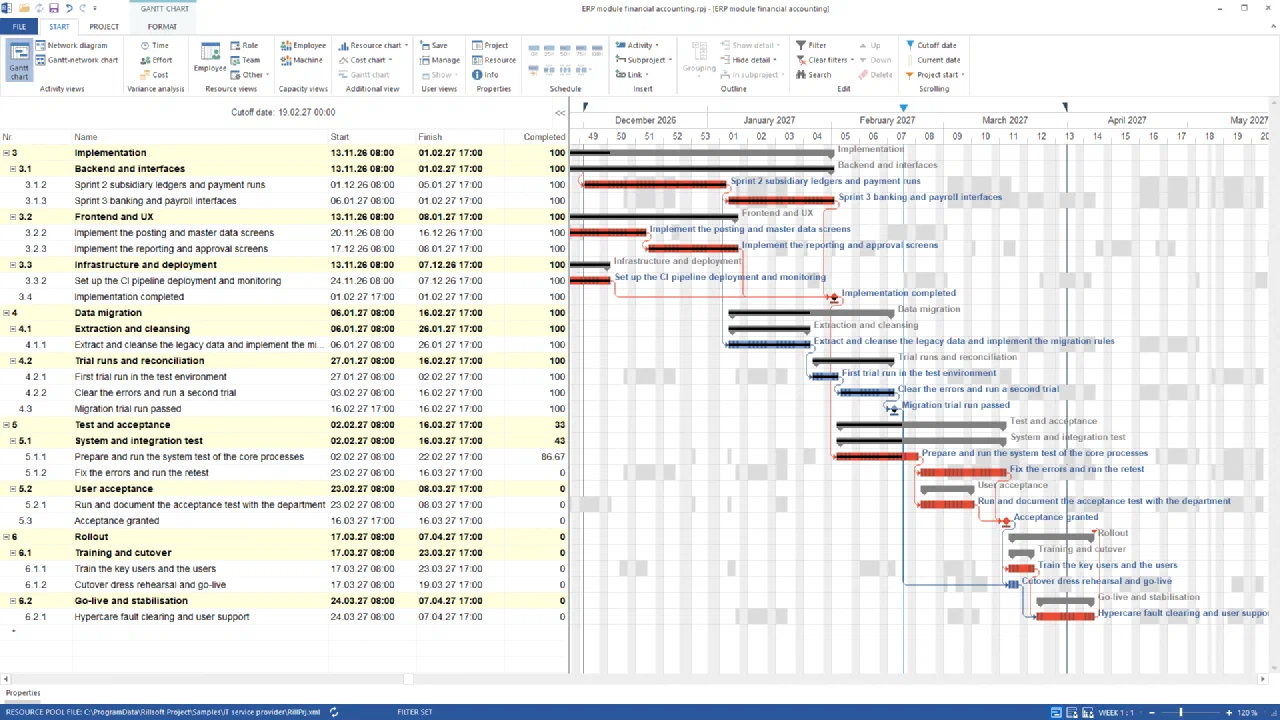
Progress derived from the cutoff date: Implementation and Data migration done, Test and acceptance at 33 %, the system test at 86.67 %German UI - Read the comparison views
The AI sets the comparison views time, effort and cost one after the other and reads the plan/actual report per view: per element planned from the baseline, actual from the current status, variance.
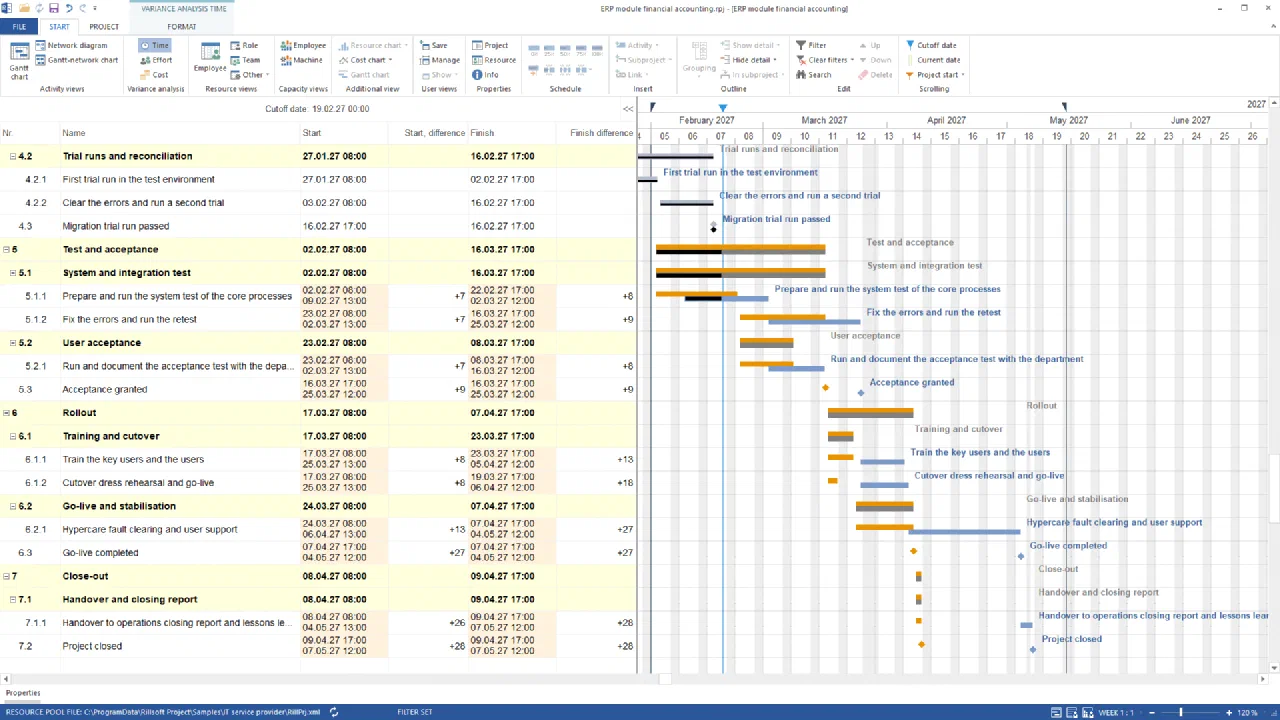
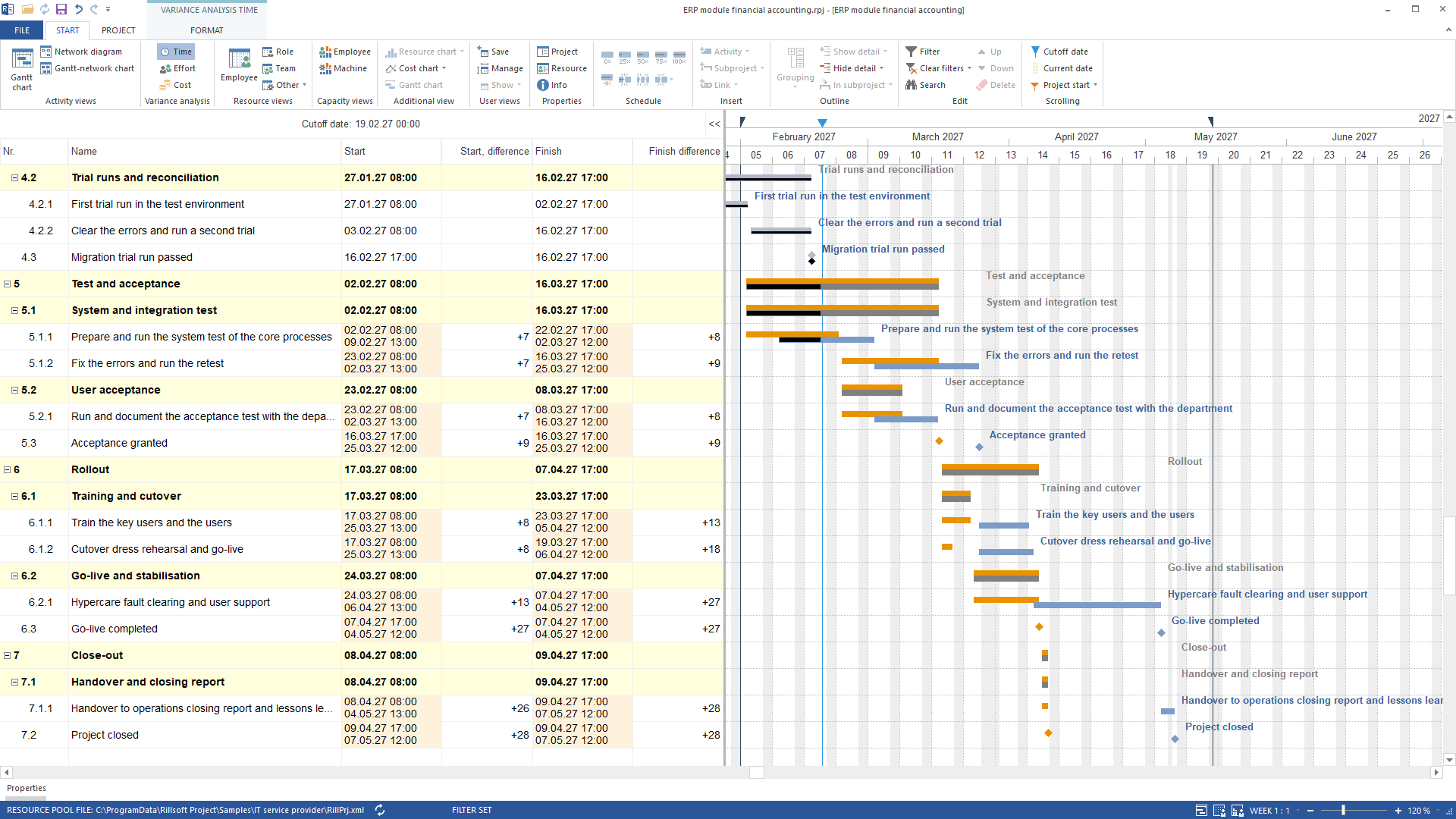
Variance view time on the ERP module after the cutoff date computation: planned from “Plan V1”, actual from the computed state, difference in days per elementGerman UI Per element in WBS order planned, actual and variance: for time in hours per start and finish, for effort in the volume metric of the view (hours or person-days, as configured) with effort done and progress, for cost as computed resource cost. On the ERP module the time view reports ten elements with variance, all in Test and acceptance, Rollout and Close-out. System test finish +187 hours (22 February → 2 March). Acceptance granted +211 hours (16 → 25 March). Hypercare finish and Go-live completed +643 hours (7 April → 4 May). Project closed +667 hours. Effort and cost show zero variance on all 55 elements – 433 person-days (3,464 hours) and 266,400 cost units planned as actual – because only dates moved. Elements younger than the baseline would be marked “no baseline”.
- Summarise the variance
The AI orders the elements by variance and names in three sentences the phase with the largest delay, the largest extra effort and the highest extra cost.
The largest schedule variance sits in the phase Test and acceptance. The system test is 5.5 working days behind at the status date, and the status date computation moves Acceptance granted from 16 to 25 March 2027. No phase carries extra effort, none extra cost. The finish date does not hold: Go-live completed moves from 7 April to 4 May, Project closed from 9 April to 7 May 2027 – once the fixed milestones are released. With the milestones fixed the plan stays put and the backlog stays visible.
The result
For management this means: three figures per element and three sentences. Test and acceptance is late (Acceptance granted +211 hours, 16 → 25 March 2027). No phase became more expensive.
The finish date only holds while the milestones stay fixed; released, Go-live completed moves from 7 April to 4 May. Everything comes from the baseline “Plan V1” and the computed status at the status date 19 February 2027 – nothing is estimated.
What runs behind it
rillsoft_project_file_open— File or session operation – not an undo steprillsoft_baseline_create— Changes the project (one undo step)rillsoft_task_progress_set— Changes the project (one undo step)rillsoft_project_status_date_set— Changes the project (one undo step)rillsoft_task_progress_recalculate— Changes the project (one undo step)rillsoft_task_update— Changes the project (one undo step)rillsoft_project_status_date_reschedule— Changes the project (one undo step)rillsoft_view_state_apply— View – one undo step, changes no project datarillsoft_variance_report_get— Read-only mode is enoughrillsoft_history_undo— File or session operation – not an undo step
Limits and variants
Without a baseline the report returns an error with a hint to create one. The dynamic baseline (number 0) combines per task the counterpart from all baselines. With an active time filter only elements whose actual or planned period intersects it appear. No tool changes baseline contents. Related prompts:Reproduce it yourself
Get started- Industry package
04_it_dienstleister- Product version
- Rillsoft Project 10 (Build 10.0.623)
- Product language
- English (package IT service provider)
- Last verified
- 2026-09-27
- Verification
- Figures and statements verified on the named sample package against the named product build – MCP session, view and report; German and English package with identical figures.