All people, companies and projects shown are synthetic Rillsoft sample data – from the shipped industry packages or, where stated, from a test project.
The prompt
Move the conveyor assembly two weeks later and show me how the capacity view for mechatronics changes.Changes the project (one undo step)
In your words
- Mechanical engineering: What happens to the February assembly peak if the factory acceptance test is one week later?
- Construction: What does scaffolding look like if the roof renovation starts only after the office floor conversion?
What you need
- An open project or portfolio; in a portfolio tasks can be shifted, only whole projects cannot.
- Read-only mode switched off.
- The step is an ordinary undo step in Rillsoft Project.
What you get
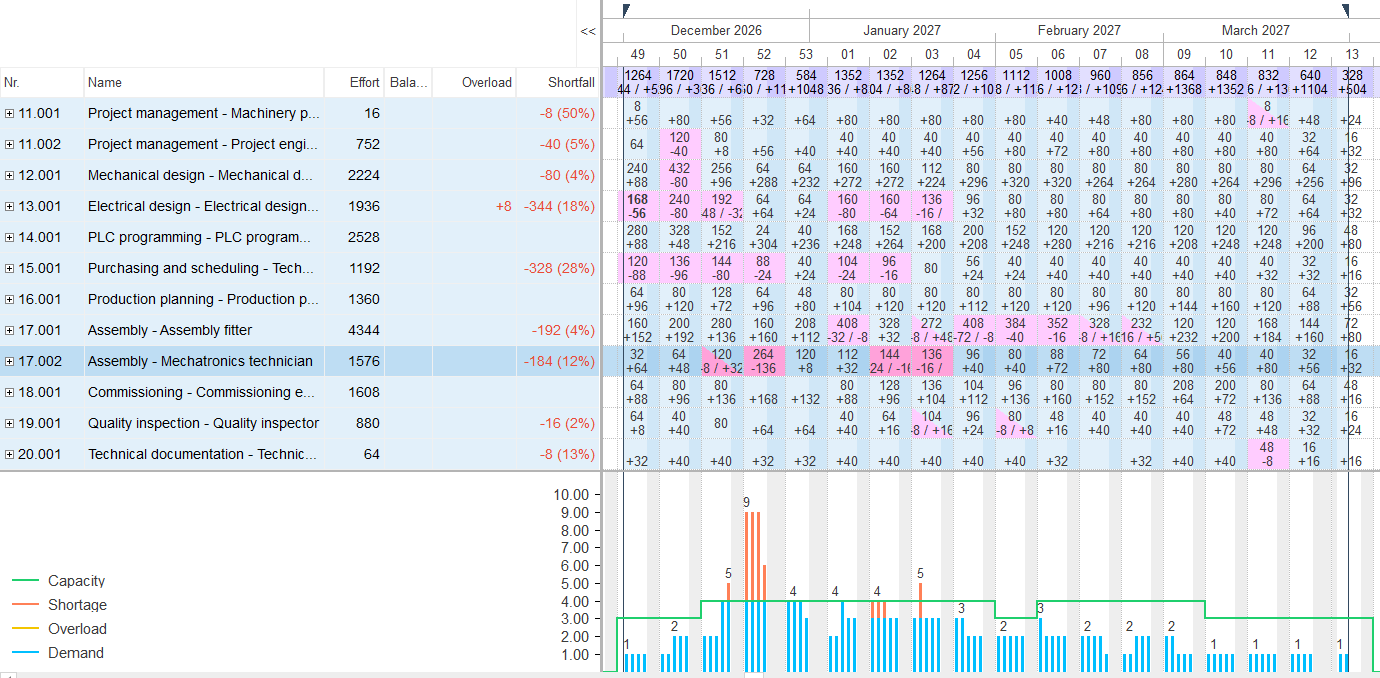
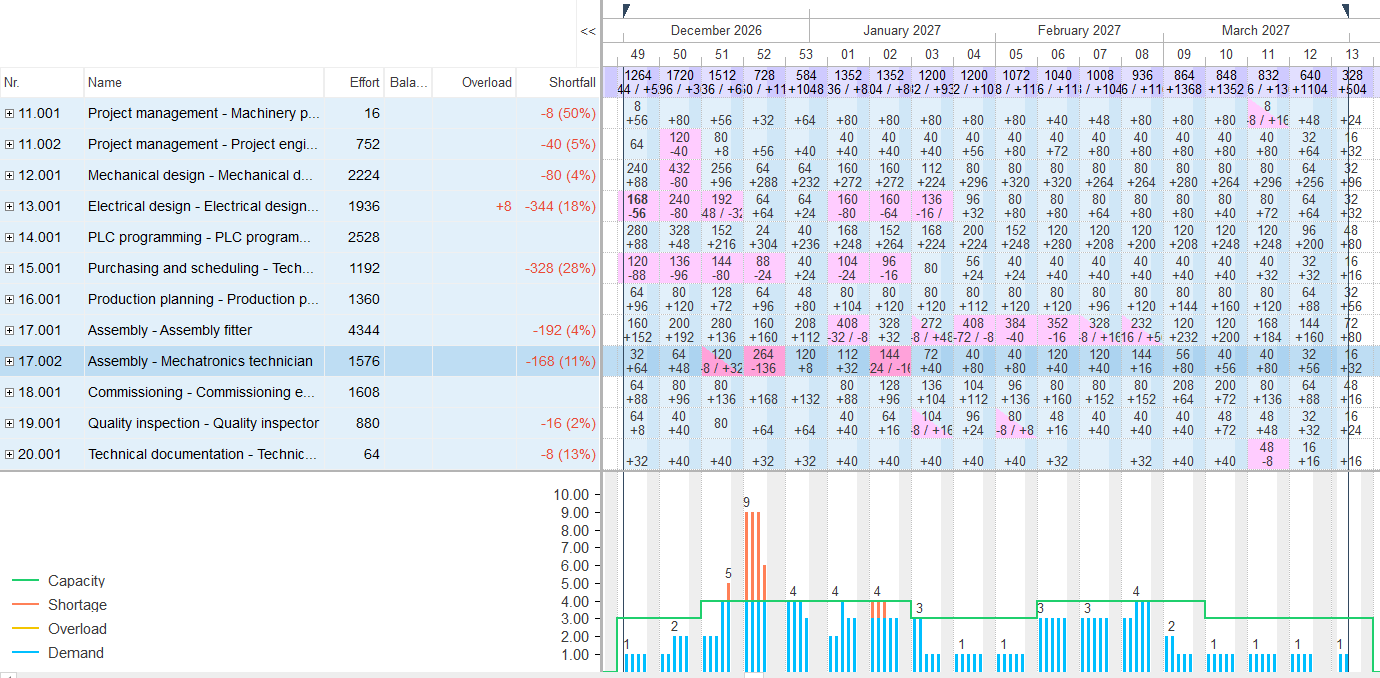
In the sample package Machinery and plant engineering the answer first reads the capacity view for mechatronics in the portfolio, sets the task “Assemble the feeding and conveying equipment” fixed two weeks later (8 to 26 February 2027 instead of 19 January to 18 February – the start follows the fixed milestone “Material and parts available” on 8 February), reschedules the project and reads the same view again.
Result: the task carries 240 hours (30 person-days) of mechatronics; with the shift 160 of them leave calendar weeks 3 to 5 and land in weeks 6 to 8, where supply suffices (120, 120 and 144 against 160 hours); across December to March the role’s shortfall falls from 184 to 168 hours, because the 16 hours in week 3 disappear – the peak in week 52 stays, it lies before the shift. No follow-on date moves and the finish date remains 14 April 2027. Without fixing, “as early as possible” would pull the task back to 19 January. Depending on the setting the view shows hours or person-days; eight hours make one person-day.
Why it is useful
This is the what-if that otherwise needs a copy of the project. Here it stays in the original, visible on screen – and one Ctrl+Z restores the starting state.How the answer is produced
Read the report, move the task with a fixed start, reschedule the project as early as possible, read the report, undo on request. Rillsoft Project computes dates, workload and critical path; the AI compares two reports.rillsoft_analysis_report_get rillsoft_task_update rillsoft_project_reschedule rillsoft_history_undo
Limits
Fixed and started tasks stay put during scheduling. Shifting a whole project inside a portfolio is not possible. The comparison applies to the open project, not to the pool. The Rillsoft Project product page describes scheduling with undo.Try it
Get started- Industry package
02_maschinenbau- Product version
- Rillsoft Project 10 (Build 10.0.623)
- Last verified
- 2026-09-27
- Verification
- Figures and statements verified on the named sample package against the named product build – MCP session, view and report; German and English package with identical figures.